Real device facts
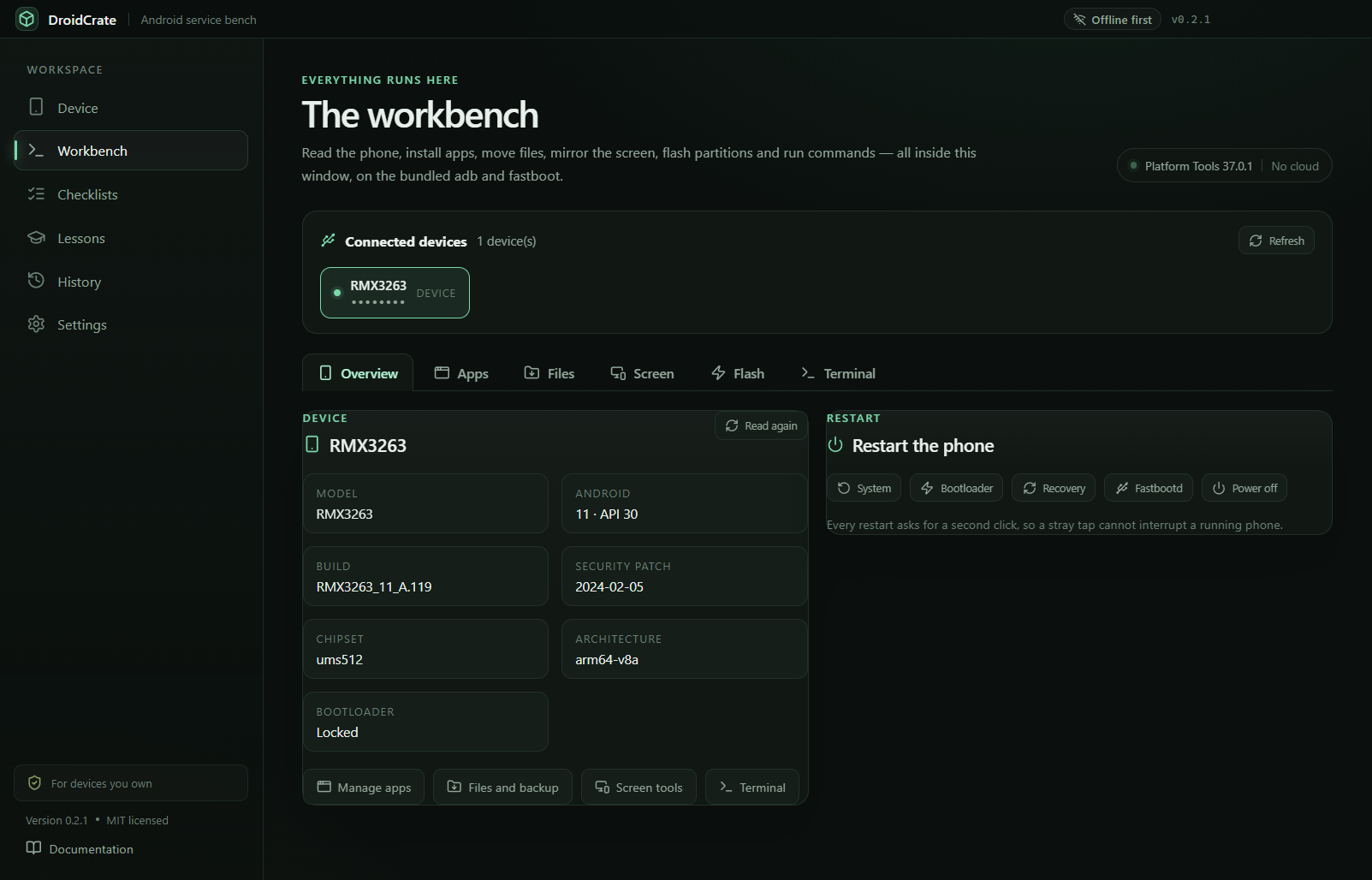
Read the model, Android version, build, security patch, chipset and bootloader state before any action.
One workbench for Android: install apps, move files, mirror the screen, flash partitions and run adb or fastboot commands. Real device specs, verified Platform Tools, and checklists that slow you down before the risky parts.
Most Android tasks are scattered across five programs, three websites and a folder of remembered command lines. DroidCrate reads the phone over USB and does the job with one verified toolchain.
Read the model, Android version, build, security patch, chipset and bootloader state before any action.
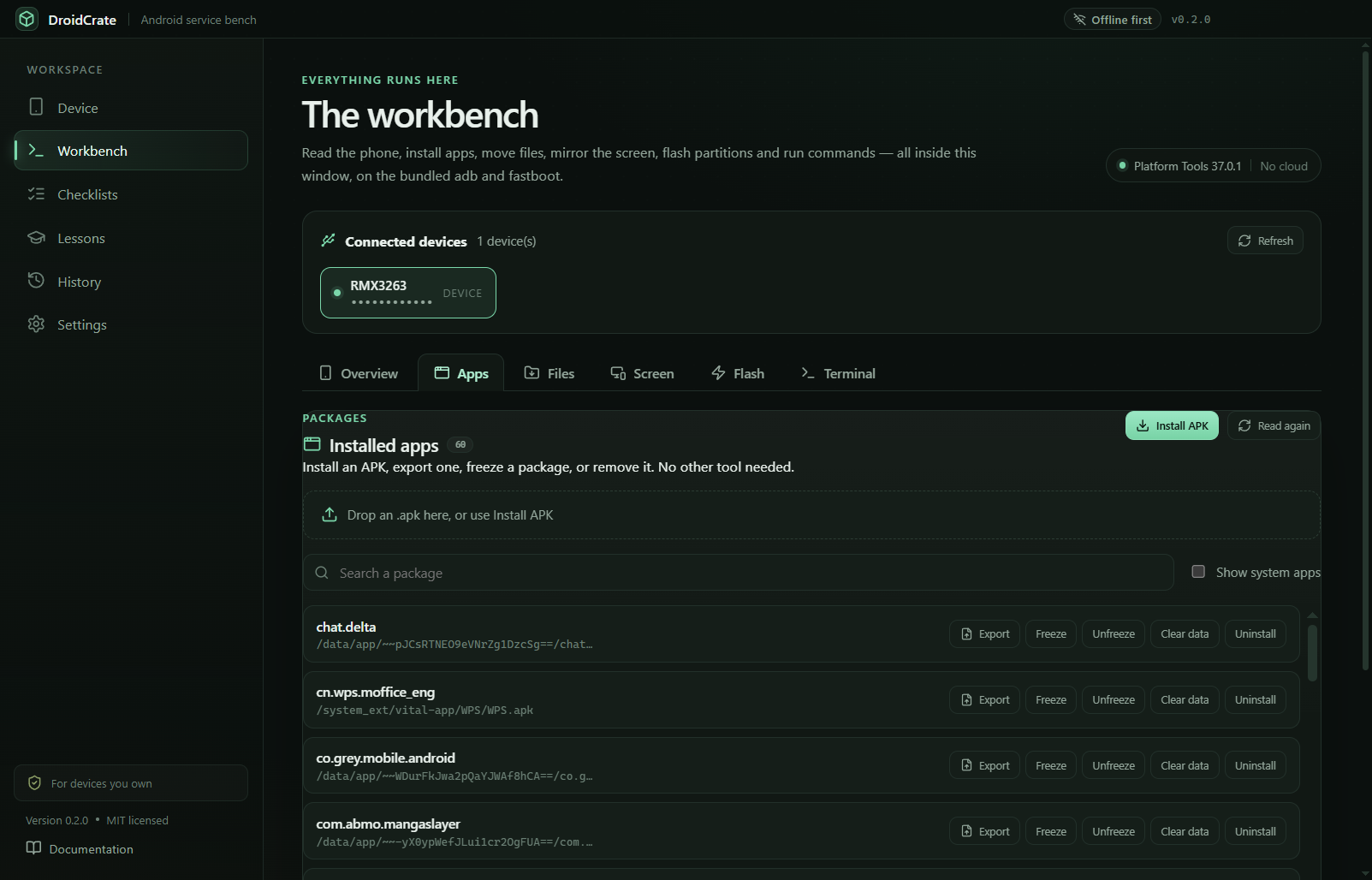
Install an APK by picking it or dropping it on the window, export a package, freeze, unfreeze, clear data or uninstall.
Push and pull files or folders with progress, then back up DCIM, Pictures, Download, Documents, Movies, Music and WhatsApp.
Take a PNG screenshot, record up to three minutes of MP4, or open a live view and tap the phone from the window.
Flash a partition from a local image, erase, sideload an OTA ZIP, and lock or unlock the bootloader. Nothing is downloaded.
No bypasses, no FRP tricks. Every high-risk action needs a second click, a checklist, and a visible command.
The phone stays connected while you move between them. Everything runs on the bundled, verified Platform Tools.
Model, Android version, build, security patch, chipset and bootloader state. Restart to system, bootloader, recovery, fastbootd or power off.
List every package, install or export an APK, freeze or unfreeze, clear data and uninstall — through pm with safe arguments.
Send any file to any phone path, pull a file or folder back, and run a full backup or restore of the usual phone folders.
Screenshot, up to three minutes of MP4, or a live view that refreshes about once per second with Back, Home, Recents and Power.
Pick a local boot, recovery or system image and flash it in fastboot, erase a partition, sideload an OTA ZIP, unlock or lock.
Run any adb or fastboot command with presets, output, exit status and duration, plus a streaming logcat with a live filter.
Every view below is the app itself, connected to a real phone. Click any shot to open it full size.
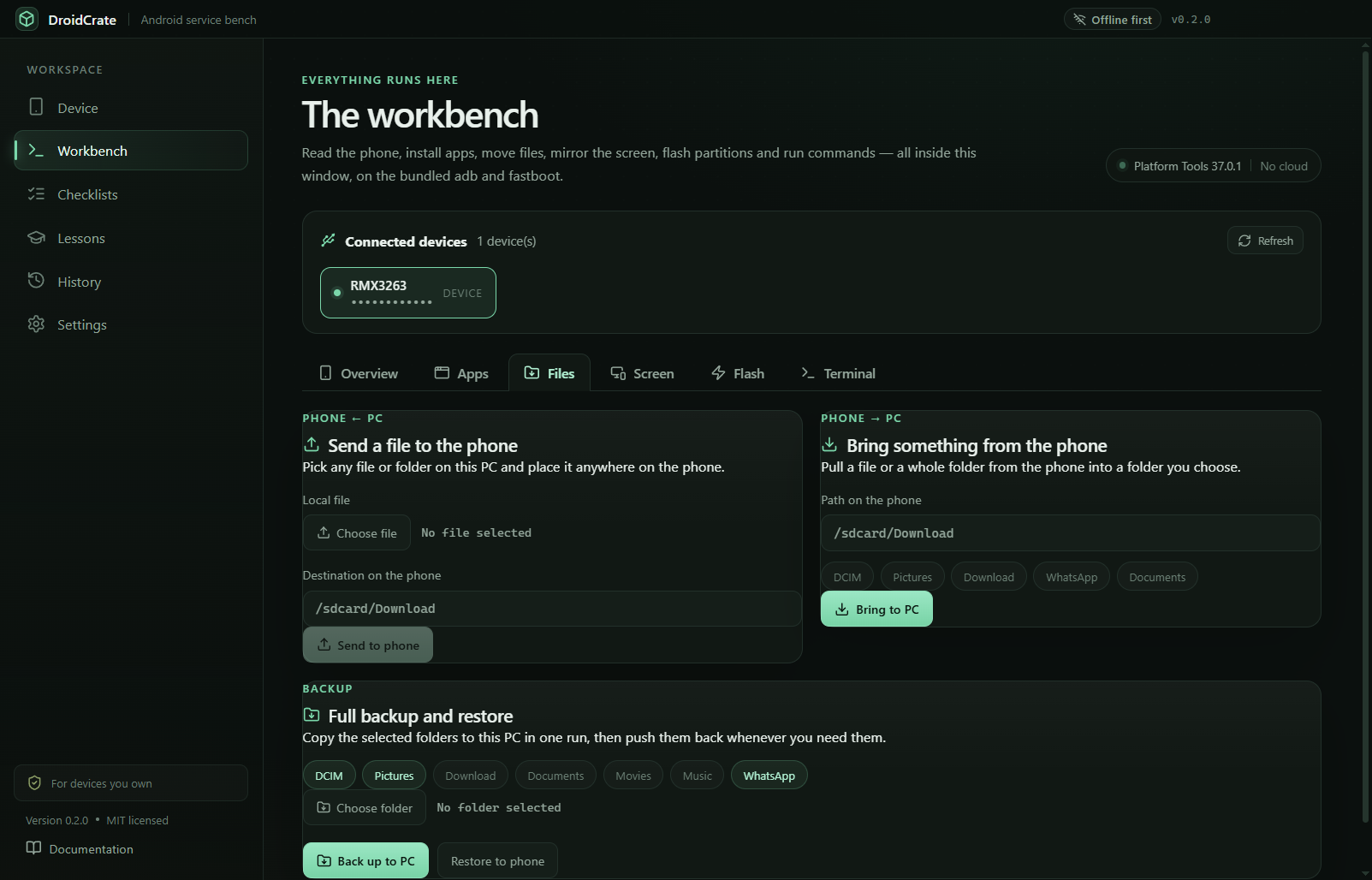
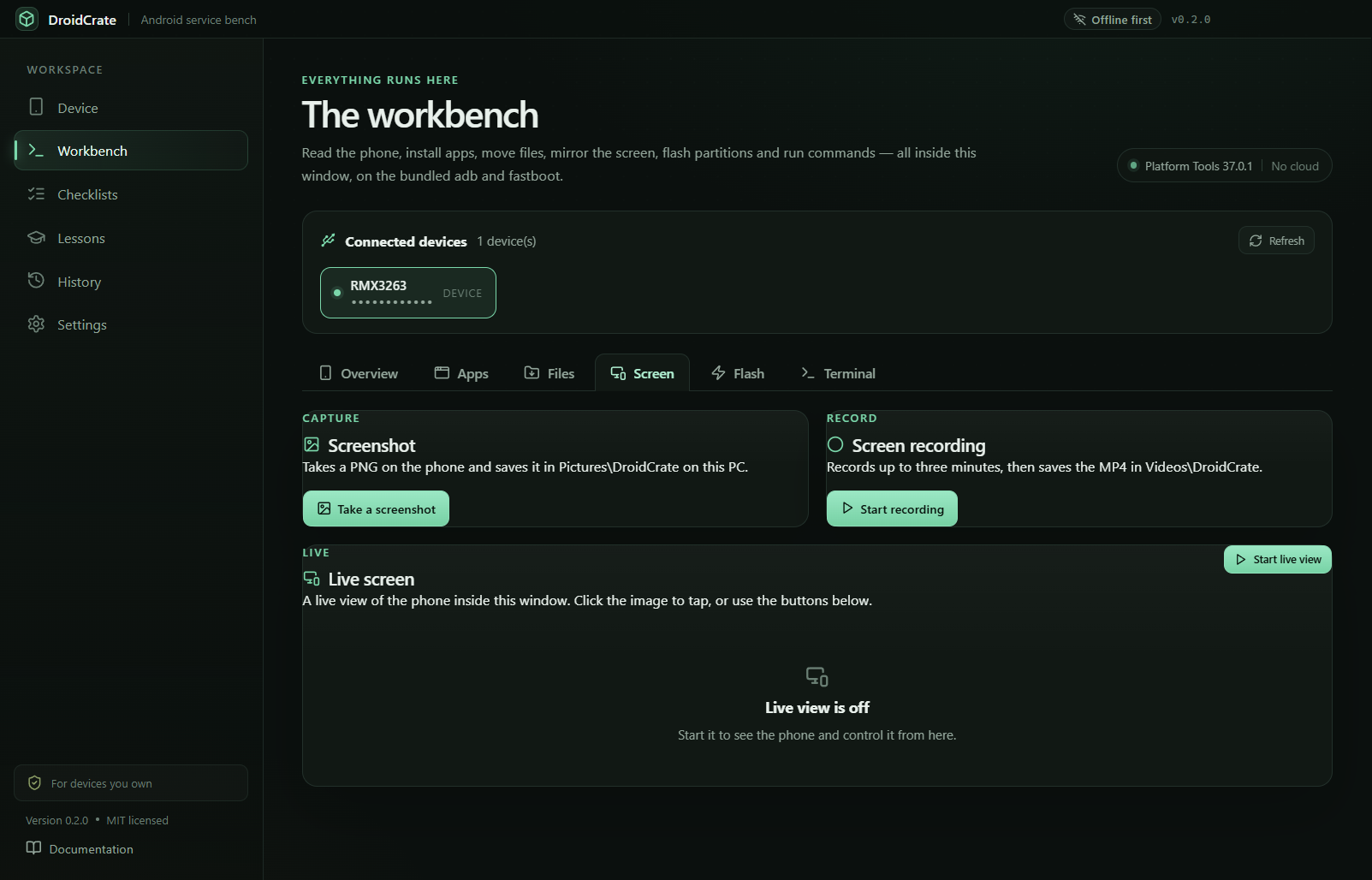
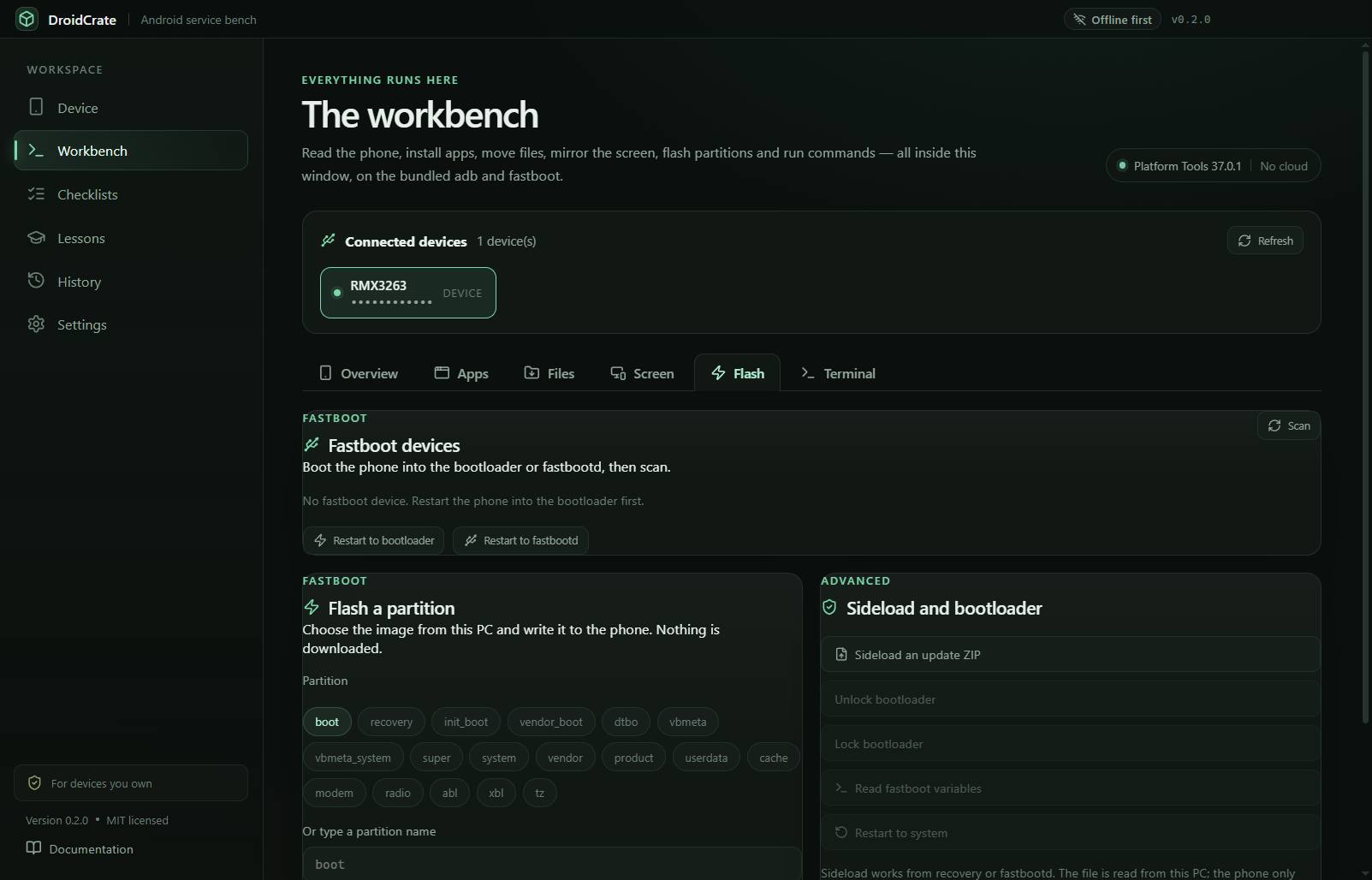
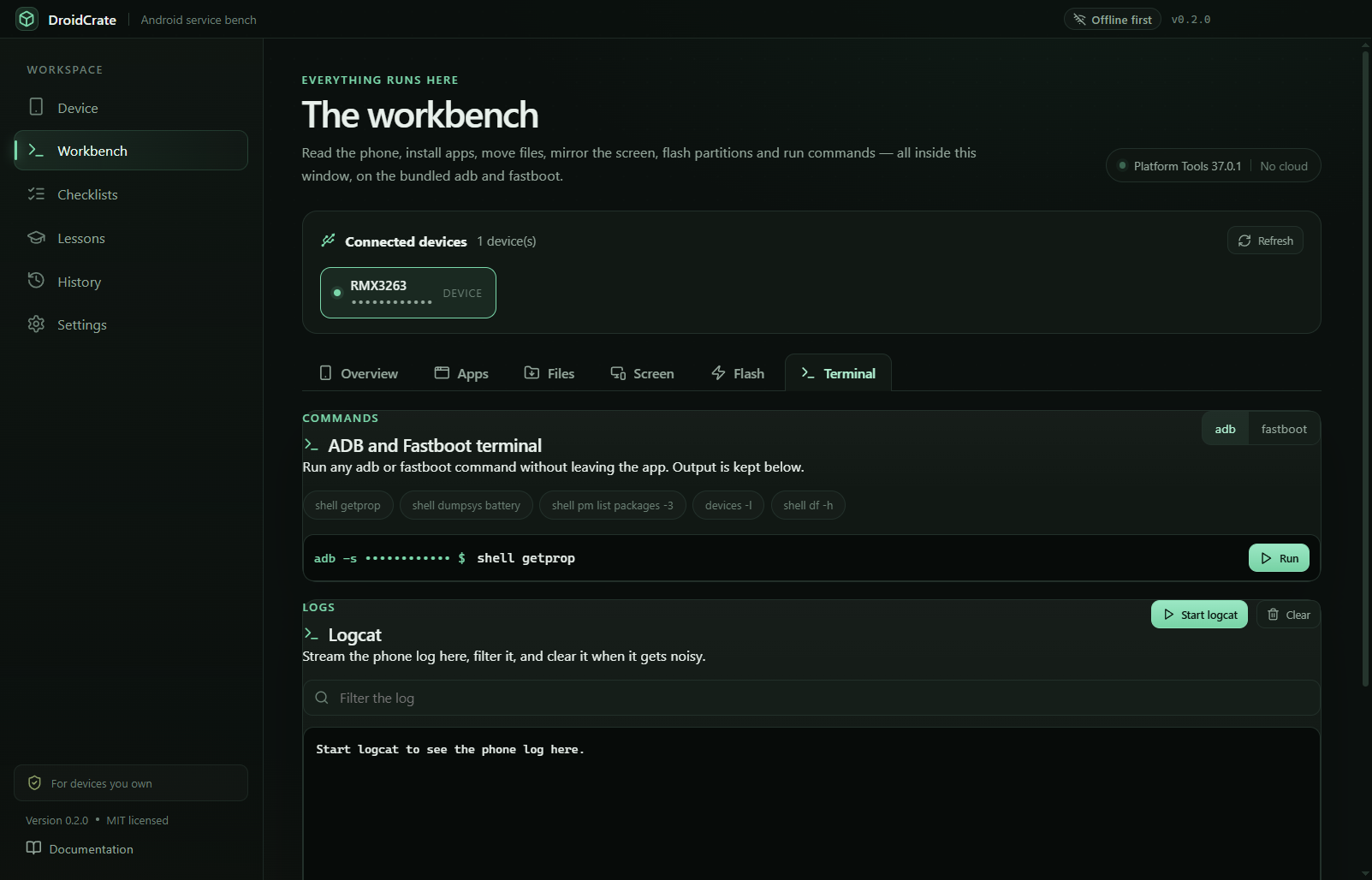
DroidCrate can flash, erase and unlock, so it says exactly what it will do and asks before it does it. It is a workbench for phones you own — never a bypass.
It cannot remove a screen lock, bypass an account or FRP, or defeat ownership protection. There is no hidden command, plugin or build that adds this.
Flashing is deliberate. The Flash tab needs a fastboot device and a local image you chose, plus a confirmation before every write.
Erase and unlock are gated. Each one requires a second click, and the command is shown before it runs.
Commands are visible. The terminal shows the exact command, output, exit status and duration, and history keeps it.
Ownership gate. First launch asks you to confirm that you own the devices you connect. High-risk checklists ask again.
Nothing leaves the PC. No telemetry, no account, no cloud. The only calls are the one-time Platform Tools download and an optional update check.
Verified toolchain. Google's Platform Tools 37.0.1 is checked against a pinned SHA-256 before extraction, and adb runs only from that copy.
Five operations, 46 ordered steps and nine lessons that explain what each stage of an Android boot does — and when to stop.
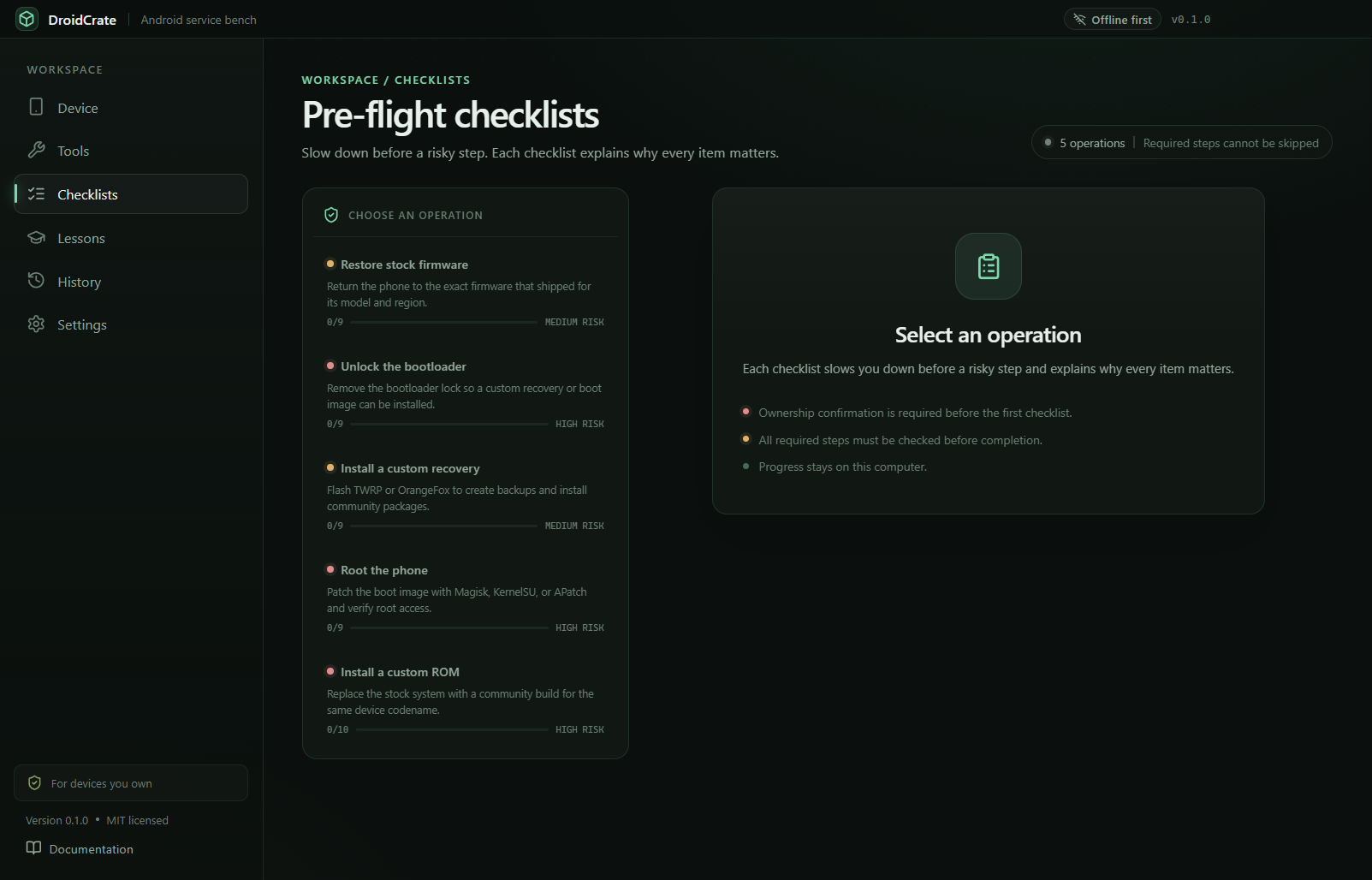
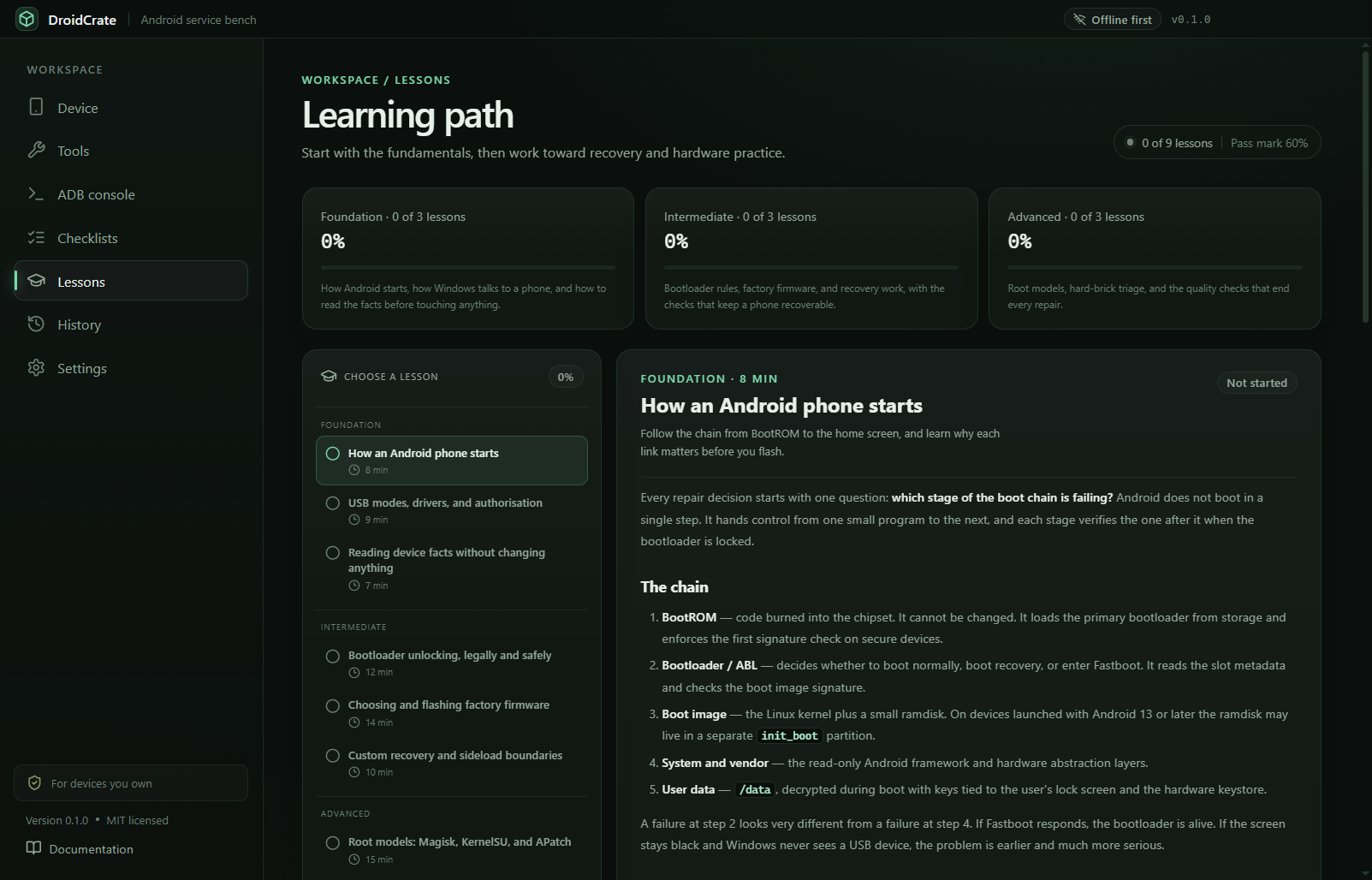
Lessons, checklists and operation history are local, searchable, and exportable as TXT or CSV.
DroidCrate installs the verified Platform Tools once, then works offline. You choose every file from your own PC.
Run the 118.0 MB installer on Windows 10 or 11, 64-bit.
Enable USB debugging on the phone and accept the RSA prompt on its screen.
Start with Overview, open a checklist, and keep the command log visible.
Hash the installer before you run it. The SHA-256 for v0.2.2 is:
Get-FileHash .\DroidCrate-0.2.2-Setup.exe -Algorithm SHA256

C6A3E165DCDBB7279A6F2079FE767EF00A61601A3EC92BC16BED227EC8D77F03
A mismatch means the file is not the release. Stop and download it again.
One installer, no account. Windows 10 or 11, 64-bit. Keep the SHA-256 for your own check.
Unsigned installer. SmartScreen may ask you to confirm — verify the hash first. From 0.2.2 the app offers updates itself and asks before downloading.
Majra splits one file across every connection on your PC: Wi-Fi, Ethernet and USB tethering at the same time.